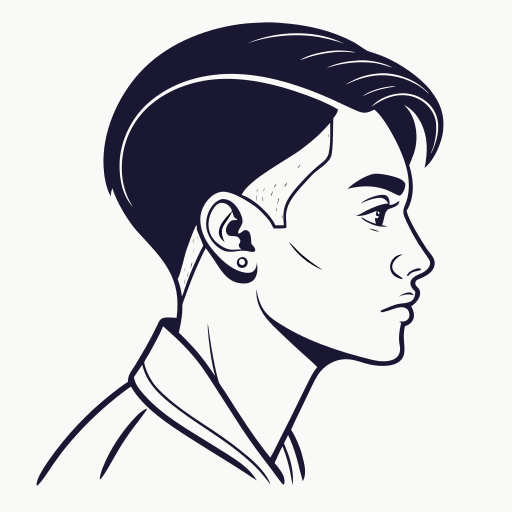
How to Preview a Skin Fade Before Your Next Barber Visit
Preview a skin fade before your next barber visit. Compare low, mid, and high skin fades, check the side view, and save a clearer haircut reference.
Key takeaways
- Previewing a skin fade helps you compare low, mid, and high fade heights before the haircut.
- The side view matters most because it shows where the fade starts and how it connects to the top.
- A low skin fade is usually the safest first choice, while a high skin fade creates the strongest contrast.
- A barber-ready reference should show fade height, top length, neckline, and beard or sideburn plan.
- Use AI preview as a planning tool, then let your barber adjust the cut to your real hair and head shape.
Why preview a skin fade before the haircut?
A skin fade can look sharp, clean, and modern, but the words skin fade are not specific enough by themselves. One barber may picture a soft low skin fade. Another may picture a high fade with strong contrast. A third may blend it into your beard or change the top more than you expected.
Previewing the haircut first helps you turn a vague idea into a clearer visual direction. You do not need to become a barber. You only need to know how high the fade should sit, how much contrast you want, and whether the top and beard should stay close to your current style.
Compare low, mid, and high skin fades first
The biggest skin fade decision is fade height. The fade can still go down to visible skin in every version, but the starting point changes the whole haircut. That is why a preview should compare at least three options before you choose.
| Fade height | What changes | Best first use |
|---|---|---|
| Low skin fade | The fade starts close to the ear and neckline | Professional looks, first skin fades, softer grow-out |
| Mid skin fade | The fade rises around the temple area | Balanced contrast, crops, waves, curls, comb overs |
| High skin fade | The fade climbs higher on the head | Bold contrast, buzz cuts, athletic styles, sharp short tops |
If you are unsure, start with a low or mid skin fade preview. A barber can usually go higher in a future appointment, but a fade that is cut too high needs time to grow back.
Check the side view, not just the front
Most people judge haircut ideas from the front. A skin fade should be judged from the side and back as well. The side view shows where the fade starts, how much weight remains above the ear, and whether the top connects naturally.
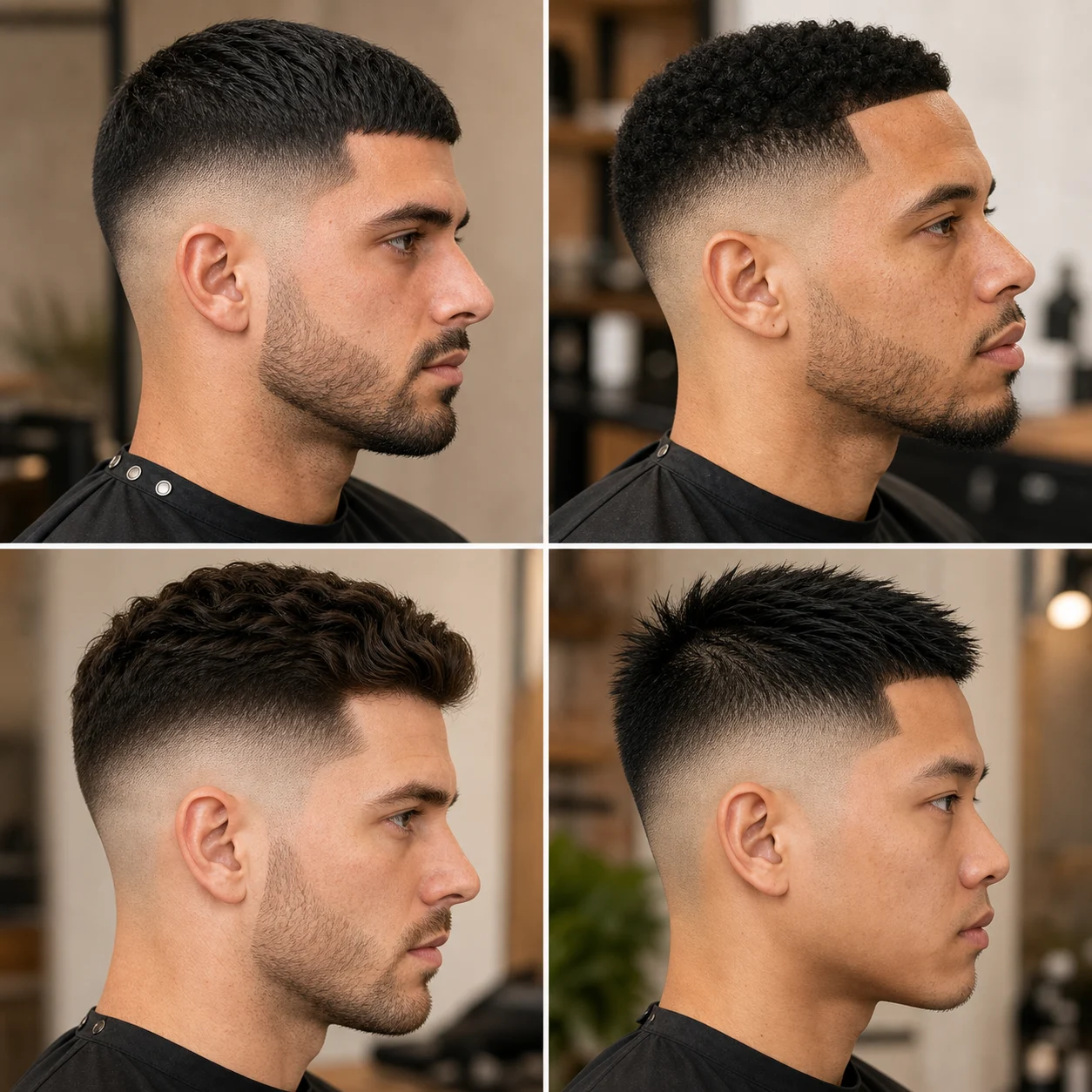
- For curly hair, check whether the fade removes too much side volume.
- For straight hair, check whether the blend line looks too harsh.
- For a beard, check whether the sideburn and beard connect cleanly.
- For long hair on top, check whether the side looks disconnected from the top.
Use AI preview to make the barber conversation easier
An AI haircut preview is most useful before the appointment, when you are still choosing a direction. On SkinFade, you can upload clear photos, choose a low, mid, or high skin fade, generate preview options, and keep the result as a barber-ready reference.
This does not replace a barber's judgment. Real hair density, cowlicks, scars, hairline shape, and growth pattern still matter. The preview is a planning tool. It helps you walk into the shop with a shared visual instead of only saying, I want a skin fade.
What a barber-ready skin fade reference should include
A good reference is not just a good-looking haircut photo. It should answer the questions your barber needs before the first guideline is cut.
- Name the fade heightSay low, mid, or high skin fade before discussing details.
- Show the side angleUse a side or three-quarter view so the fade placement is clear.
- Explain the topSay whether to keep the top, trim it, texture it, crop it, or leave length.
- Mention beard or sideburnsAsk for a beard blend if facial hair should connect to the fade.
Final check before you book
Before you book, ask yourself one simple question: would I still like this haircut from the side after one week of growth? If the answer is yes, the fade height is probably realistic for your style and maintenance habits.
A skin fade should make you feel sharper, not surprised. Preview the height, save the reference, and let your barber adapt it to your real hair. That combination gives you a much better chance of leaving the chair with the cut you actually wanted.
Skin fade preview FAQ
Can I preview a skin fade before getting it cut?
Yes. You can compare low, mid, and high skin fade previews before booking the haircut. A preview helps you see the fade height and side profile before committing.
Is an AI skin fade preview exact?
No AI preview can guarantee the final haircut. It is best used as a planning reference. Your barber still needs to adjust the cut for your real hair, head shape, hairline, and growth pattern.
Which skin fade should I preview first?
Start with a low or mid skin fade if you are unsure. Low fades are softer and easier to grow out, while mid fades give more visible contrast without feeling as bold as a high skin fade.
What photo should I use for a skin fade preview?
Use clear photos with your hair and side profile visible. Side or three-quarter photos are more useful than front-only selfies because skin fade height is easiest to judge from the side.